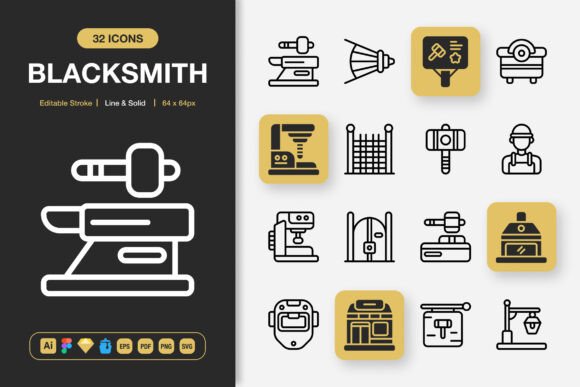
Blacksmith Icons: A Strategic Asset for Purposeful Design Projects
Every visual element in a project either supports a goal or quietly works against it. Icons are no exception. Blacksmith Icons arrives as a carefully assembled set of 100 high‑quality, hand‑crafted symbols designed to slip into websites, mobile apps, books, social media graphics, infographics, flyers, print collateral, and more without demanding that you rebuild your entire design system. What makes this set unusually practical isn’t the sheer number of icons—it’s the intentional flexibility built into every file, from editable stroke weights and dual line‑and‑solid styles to a delivery format that respects how teams actually work.
When you begin a new project, icon choice often becomes an afterthought. A placeholder gets picked, a style gets borrowed, and inconsistencies pile up as the project scales. Blacksmith Icons changes that rhythm because it invites you to plan your iconography as a cohesive layer of communication rather than a collection of decorative afterthoughts. The decision to invest in a unified icon family like this one can save weeks of rework, improve brand recall, and make your interfaces instantly clearer to the people who need to navigate them.
Making Intentional Design Choices with Blacksmith Icons
Icons do heavy lifting in moments where words take too long. They guide attention, signal function, and reduce cognitive load. But they only do that well when they belong to the same visual language. Blacksmith Icons gives you both line and solid styles within the same family, meaning you can assign meaning through style without fracturing consistency. Use the airy line variants for subtle navigation hints and the confident solid versions for primary action buttons. Because both modes share identical silhouette geometry, users instinctively know they’re looking at related concepts even when the treatment shifts.
This duality becomes especially valuable in responsive environments. On a dense mobile screen, solid icons hold their presence at tiny sizes, while line versions breathe more comfortably in spacious desktop layouts. By planning your style deployment ahead of time—rather than mixing and matching from disparate free sets—you create a rhythm that feels intentional and professional. The editable stroke feature deepens that control, letting you fine‑tune line thickness to match your brand’s typographic personality without distorting proportions or ever leaving your primary design tool.
Why File Format Flexibility Matters for Your Project Goals
A beautiful icon set loses its practical value if it doesn’t plug into your existing workflow. Blacksmith Icons acknowledges this by shipping with a remarkably complete roster of source and export files: Adobe Illustrator, Figma, Sketch, Iconjar, EPS, PDF, SVG, and PNG at seven transparent sizes (32 px through 512 px). This isn’t a marketing bullet—it’s a strategic enabler. When your web developer needs lightweight SVGs for an icon sprite system, your PowerPoint‑heavy stakeholder needs high‑resolution PNGs, and your print designer insists on editable EPS vectors, you don’t have to run conversion marathons or compromise on quality. The right file is already there.
Consider the downstream effects. If you’re scaling a small business brand across digital ads, product packaging, and an email newsletter, the PNG transparency variants ensure that icons sit cleanly on any background without white‑box surprises. The Figma file lets your design team adapt colors and stroke weights across components in real time, while the Iconjar file makes the entire set searchable and drag‑and‑drop ready for everyone—including marketing staff who don’t live inside design software. This accessibility shifts icon usage from a bottleneck to a shared resource, speeding up production without sacrificing cohesion.
The Strategic Advantage of Editable Stroke and Dual Styles
Fixed‑weight icon packs force you to design around their constraints. Blacksmith Icons hands you the opposite proposition. Because every symbol comes with fully editable strokes, you can dial in a thickness that feels native to your brand’s weight and proportion system. If your logo uses a delicate 1.5 pt line, your icons can match that. If your UI leans toward chunkier, high‑contrast shapes, you can push the stroke up to 2.5 pt without losing legibility. This kind of granular adjustment transforms an icon set from a static purchase into a living library that evolves alongside your design language.
This capability also protects you from one of the most common icon mistakes: throwing mismatched stroke weights onto the same canvas. A navigation bar where the “home” icon uses a 1 px line and the “settings” icon uses a 3 px line silently erodes user trust because it signals carelessness. By starting with a unified, editable foundation, you eliminate that drift. Your visual hierarchy stays tight, and your brand feels more deliberate across every surface.
Planning Your Icon Usage Across Digital and Print Media
Icons that look sharp on a Retina screen can fall apart in print if you haven’t thought about color spaces and resolution. Blacksmith Icons provides both vector and raster formats precisely for that reason. For print projects—flyers, banners, book interiors, posters, stationery—you can open the EPS Version 10 or the Adobe Illustrator source file and scale up without a single pixel of degradation. For digital products, the SVG files keep page load times minimal while looking crisp at any resolution, and the organized PNG sizes let you pick the exact dimension that matches your breakpoints without bloated file sizes.
A practical approach: map out every touchpoint where icons will appear before you start importing. A small business owner creating both a website and a printed brochure, for example, might use the SVG files for the site’s feature highlights and the PDF or EPS files for a professionally printed product sheet. Because the visual character remains identical across formats, customers experience a brand that feels unified whether they interact with it on glass or paper. The included Readme.txt often provides helpful notes on organization, making it easier to get started without guesswork.
Avoiding Common Pitfalls When Deploying Custom Icons
Even the best icon set can dilute a message if it’s used without clear constraints. The most frequent misstep I see is icon overload—sprinkling symbols onto every heading, button, and bullet point until the page vibrates with visual noise. Blacksmith Icons rewards restraint. Because the 100 icons cover a broad conceptual range, you can be selective. Ask yourself: Does this icon reduce effort for the user? Does it clarify a section that might otherwise be scanned past? If not, let the typography carry the load.
Another risk is color inconsistency. The set’s editable vector nature means you can apply any brand palette, but that freedom requires discipline. Decide on a limited icon color system early—perhaps one primary accent color for interactive icons and a soft secondary gray for static informational ones—and stick to it. The Figma and Sketch files let you set global color overrides so that non‑designers pulling assets from the Iconjar file don’t accidentally introduce rogue hues. A small amount of upfront governance preserves the professional finish you bought the set to achieve.
How to Scale Iconography for Long‑Term Brand Consistency
A set of 100 customizable icons isn’t just a project starter—it’s a system foundation. As your content library grows, you’ll need sibling icons that never existed in the original pack. Because Blacksmith Icons delivers the source files (AI, Figma, Sketch), you or your designer can create extensions that follow the same geometric DNA. The uniform corner radii, consistent stroke terminals, and shared design principles baked into the original set become a style guide for anything you build later. The result is a visual language that scales gracefully, maintaining trust with audiences who subconsciously recognize a stable identity over time.
This scalability also makes the set a smart choice for agencies and freelancers who manage multiple client brands. Instead of hunting for a new match every quarter, you keep Blacksmith Icons as a base, adjusting strokes, fills, and occasional path points to align with different visual identities while preserving proven usability patterns. The easy drag‑and‑drop capability across Iconjar, Figma, and other tools means you can prototype rapidly and adapt to client feedback without ever starting from a blank artboard.
Practical Examples of Intentional Icon Strategy
Imagine an education startup building a learning platform. Using Blacksmith Icons, they can assign line‑style icons to passive content categories like “Reading” or “Resources,” and solid‑style icons to active verbs like “Start Quiz” or “Submit Assignment.” The editable stroke lets them match the line weight to their app’s rounded, friendly typeface, while the SVG format keeps the interface fast on low‑bandwidth mobile connections. Over time, as they add new features, the source files allow them to design consistent companion icons that feel native to the original set.
Or consider a freelance marketer producing social media infographics for multiple clients. The PNG transparency files in pre‑defined sizes mean she can drop perfectly sized icons onto any canvas without resampling artifacts. The dual styles give her the flexibility to choose between airy line graphics for a yoga studio’s calm aesthetic and bold solid icons for a fitness brand’s high‑energy carousels, all from the same foundational library. By relying on one rigorously organized set, she reduces asset management overhead and delivers higher‑quality work faster.
These scenarios underscore a core principle: icons are communication tools before they are decoration. Blacksmith Icons puts you in a position to make deliberate choices that sharpen meaning and reinforce brand character, all while giving you the technical formats to execute across any medium without friction.